Birthday Invitation Maker
- 4.4
- Rating
- 100.00K
- Installs
- Free
- Price

 Analysis by App-foxy
When a birthday is approaching, the hardest part is often not choosing a cake or a venue; it is getting a clear invitation ready before the guest list starts changing. I tested Birthday Invitation Maker with that everyday problem in mind. It is an Events app from appmystique, built around making birthday cards and invitations without turning the task into a full design project. My overall impression is that it works best when you want something personal and presentable quickly, especially for a family gathering, a child’s party, or a small celebration where a message needs to move from your phone to other people with as little fuss as possible.
The app is free to download, with in-app purchases priced at $1.99 per item. It is rated for Everyone, so its basic purpose is easy to understand for a broad audience. Its average rating is 4.4 from around 300 ratings, and it has passed 100K installs. Those numbers suggest that it has found a practical audience, but they do not replace trying it with your own invitation style. A simple birthday card and a carefully organized event notice are not always the same thing, and that difference becomes important once you start preparing a real party.
From a vague party idea to a finished invitation
I like to begin with the few details that make a party feel real: who is celebrating, what kind of gathering it is, and what guests need to know before they reply. In this section, I’ll look at how Birthday Invitation Maker can turn that rough idea into a card without letting decoration take over. A useful next step is deciding what the invitation must communicate before choosing its look.
You May Also Like

 Blood Strike: 2.5 Anniversary
Blood Strike’s Loadouts Turn Every Drop Into a Tactical Gamble
A close look at Blood Strike’s custom loadouts: how fast access to signature weapons reshapes its battle royale rhythm, rewards preparation, and narrows the gap between fights.

 Pandora - Music & Podcasts
Pandora’s Music Is Easy to Start, but Harder to Recover
Pandora’s strength is its low-effort path from a seed to a station. Its weak spot is how much confidence it asks you to place in connection, setup, and quiet recovery.

 8 Ball Pool
 Is Built on Rivalries, Rematches, and Routine
A close look at the rivalries, rematches, shared routines, and unanswered safety questions that turn a quick pool match into a persistent mobile community.

 Samsung Music
’s Quiet Strength Is Playing What You Already Own
Its reach comes less from spectacle than from dependable access to a personal library. That simplicity is both the app’s strongest retention engine and its ceiling.

 AccuWeather: Weather Radar
AccuWeather Review: A Quick, Clear Forecast for Everyday Decisions
For everyday plans, the best forecast is the one you can understand quickly. AccuWeather makes rain timing, radar, and local conditions easy to act on, with a few trade-offs.

 Hill Climb Racing
Why Hill Climb Racing Still Turns Crashes Into One More Run
A tiny car, a bumpy hill and one more upgrade: Hill Climb Racing keeps resurfacing because its simple chaos makes every near-miss feel personal.
More From Our News Desk



Starting with the actual need
I found the app most useful at the moment when I knew the basic facts of an event but had not yet turned them into something shareable. Imagine a Saturday birthday gathering: the date is chosen, the location is known, and the host wants to send a friendly invitation rather than a plain text message. Birthday Invitation Maker gives that task a dedicated place instead of making the host assemble a background, type the wording, and arrange everything manually in a general photo editor.
That focused approach matters because birthday invitations usually need a different tone from ordinary announcements. A formal document can feel cold, while a quick message can leave out information. A birthday card needs enough personality to make the recipient want to attend, but it also needs readable details. I treated the app as a bridge between those two needs: a visual greeting on the front and useful event information inside the design.
The current version is 2.1, and it runs on devices using Android 7.1 or later. That gives it a reasonably broad reach for people using older phones, although the quality of the final experience will still depend on the device’s screen and the way it handles image editing. The app is not trying to be a full event-management service. I would not open it expecting guest tracking, calendar coordination, or a complete party-planning dashboard. Its value is narrower and more immediate: helping me create the invitation itself.
Building the first draft without overthinking it
My preferred workflow starts with the wording, not the decoration. Before choosing a visual style, I decide what the recipient must know: whose birthday it is, when the celebration happens, where it takes place, and how to respond if a reply is needed. This prevents a common mistake in invitation apps, where the design becomes attractive but the practical information is squeezed into a corner or forgotten entirely.
Once the basic message is clear, I use the app as a visual framing tool. The useful mindset is to treat the card like a small poster. The name and birthday message should be immediately visible, while the date, time, and location should remain easy to scan. If the invitation is intended for a child’s party, a playful look can work well; for an adult gathering, a more restrained arrangement may feel more natural. The app’s narrow focus makes this decision faster than starting from a blank canvas in a general design editor.
One non-obvious advantage is that a template-style workflow can reduce decision fatigue. People often assume more design freedom is always better, but a birthday invitation is usually a one-off task with a deadline. Too many blank choices can slow the host down. I would rather begin with a birthday-oriented structure and spend my attention checking names and logistics. That trade-off is especially helpful when several family members are waiting for the invitation to go out.
I also recommend writing a longer version of the message first and then shortening it for the card. The first draft can include every detail, while the final version keeps only what guests need at a glance. This is a practical way to avoid cramming. If a special instruction is important, such as bringing a particular item or arriving at a certain entrance, it should be phrased simply rather than buried in decorative text.
Making the invitation readable on a phone
Most recipients will probably see the finished invitation on a phone, not as a large printed card. That changes how I judge the design. Small lettering may look fine while editing but become tiring when the image is viewed inside a messaging app. I keep the main greeting short, separate the event details clearly, and avoid treating every available space as an invitation to add another sentence.
This is where the app’s convenience needs to be balanced with personal judgment. A ready-made birthday layout can make an invitation look finished quickly, but it cannot decide whether the chosen wording is clear for your particular guests. A grandparent may need a larger date and location. A group of school parents may need the pickup time stated plainly. A friend’s casual gathering may benefit from a short, warm message rather than a dense block of instructions.
My practical tip is to preview the card at the size in which you expect people to receive it. Do not judge it only while zoomed in during editing. Look for three things: whether the birthday person’s name stands out, whether the event information can be found immediately, and whether the overall tone matches the guests. If any answer is no, simplify before adding more decoration.
The handoff from creator to guest
The most important part of the workflow happens after the design is finished. An invitation is not successful merely because it looks good in the editor; it has to survive the handoff to the people attending. I would save or share the finished result carefully, then send it through the channel my guests already use. A beautiful card that arrives without a clear accompanying message can still create confusion.
For a family party, I might send the card with a short note asking people to confirm attendance. For a children’s celebration, I would make the practical details explicit in the message as well as in the image, particularly if parents need to know when to drop off or collect their children. This duplication may seem unnecessary, but it makes the invitation easier to search and reduces the chance that an important detail is missed when the image is viewed quickly.
That handoff also reveals one of the app’s boundaries. Birthday Invitation Maker creates the invitation, but the social coordination still belongs to me. I remain responsible for sending it to the right people, answering questions, updating anyone if the plan changes, and keeping track of replies. Someone looking for automatic reminders or a guest list that updates itself would be better served by an event-planning platform. The app is a design step inside the larger workflow, not the entire workflow.
There is another useful handoff between the person designing the card and the person approving it. If a child’s birthday invitation is being prepared by a parent, I would show the draft to the birthday child before sending it, but I would make the final check myself. Children may care about colors and mood, while adults need to verify the address, timing, and wording. This two-stage check is a small habit, yet it prevents the most embarrassing invitation errors.
What the finished result does well
The result I want from this app is not a professional advertising graphic. It is a birthday invitation that feels more thoughtful than a plain message and takes less effort than designing from scratch. In that role, the app makes sense. It gives the event a visual identity, helps the host communicate the occasion warmly, and can make a routine announcement feel more personal.
I especially like the fit for last-minute but not careless invitations. Suppose a relative tells me on Wednesday that a birthday lunch is happening on Sunday. I can gather the essential details, create a card that reflects the occasion, check the wording, and send it to the family group without opening a larger design suite. The app’s purpose is clear enough that I do not need to learn a broad set of unrelated tools first.
It is also useful for people who are comfortable deciding what they want to say but do not feel confident about arranging a visual design. A dedicated birthday maker can provide a starting point that feels more appropriate than a generic social-media graphic. That is a meaningful distinction: the outcome is not just an image with text, but an image that signals a celebration and gives the recipient the right context immediately.
For a printed invitation, I would be more cautious. A phone-friendly design and a print-ready design have different demands, including resolution, margins, and physical size. If printing a large batch is central to the plan, I would compare the app’s output with a design tool made specifically for print before committing. For digital sharing, the workflow feels more natural; for formal stationery, a dedicated print service may offer better control.
Where the workflow starts to break
The app’s simplicity can become limiting when the event requires more than a straightforward birthday card. If I need several versions for different groups, detailed RSVP handling, a seating arrangement, or repeated reminders, I would quickly move part of the job to another tool. Creating the visual invitation is only one piece of that process, and this app should not be judged as though it were a complete event organizer.
There is also a creative trade-off. A focused birthday app can help me finish faster, but it may not satisfy someone who wants complete control over typography, spacing, illustration, or brand-like visual consistency. A general design editor is usually the better choice for a highly specific concept, especially when the invitation must match a custom party theme or be reused across several materials. The right choice depends on whether speed or fine control matters more for this event.
In-app purchases are another point to consider. The download is free, but some items cost $1.99 each. I would begin by drafting the invitation with the available choices and only pay when a particular design element genuinely improves the result. It is easy to spend more than expected when small individual purchases accumulate, so I would decide on a budget before experimenting. This is not a reason to dismiss the app, but it is a reason to treat the free starting point and the optional extras as separate decisions.
People who dislike reviewing visual details may also find the process less effortless than the short store summary suggests. The app can help create the card, but it cannot rescue incorrect information, awkward phrasing, or an overcrowded layout. I still need to read the final invitation as a guest would. The best result comes from using the app for structure and presentation while keeping responsibility for the message.
Who should use it, and who should choose something else
I would recommend Birthday Invitation Maker to a parent, relative, or friend who wants a birthday-specific design without learning a broad graphic-design application. It is a good match for digital invitations sent to family groups, school contacts, friends, or coworkers. It is also suitable for someone who values a quick, friendly result more than complete artistic control.
I would be less likely to recommend it as the main tool for a large formal event, a business gathering, or a celebration with complicated attendance requirements. In those situations, a service centered on registration, reminders, guest management, or advanced print preparation would be more appropriate. The app can still produce a visual announcement for such an event, but it would not replace the organizational tools that make a large invitation process manageable.
The age rating of Everyone is consistent with the app’s straightforward purpose, but adults should still review invitations made for children before sharing them. That is not about the app being difficult; it is about making sure the final card contains only the information that should be distributed and presents it in a way parents and guardians can understand quickly.
My recommendation after using the complete workflow
Birthday Invitation Maker succeeds when I treat it as a focused creative utility rather than a complete party assistant. I begin with the event facts, shape them into a short message, create a birthday-appropriate visual, inspect the card at phone size, and then handle the sending and replies myself. That workflow is simple, but it covers the part many people actually struggle with: turning a rough plan into an invitation that feels ready to share.
The appmystique release is worth considering if you want a free starting point and are comfortable deciding whether optional $1.99 items are worthwhile. Its broad compatibility, Everyone rating, and established install base make it approachable, while the 4.4 average suggests that many users find the central experience useful. I would not choose it for advanced event administration or highly controlled print design, but I would choose it for a personal birthday invitation that needs to be made and sent without unnecessary complication.
My final advice is to use it for the invitation, not for the entire event. Write the practical details first, keep the card readable, check every name and time, and include a plain-language message when you send it. Used that way, the app does what I want from a birthday maker: it turns a small celebration into a clear, personal announcement while leaving me enough control to avoid the common mistakes that decoration alone cannot fix.
FAQs for Birthday Invitation Maker
01What features does the Birthday Invitation Maker app offer?
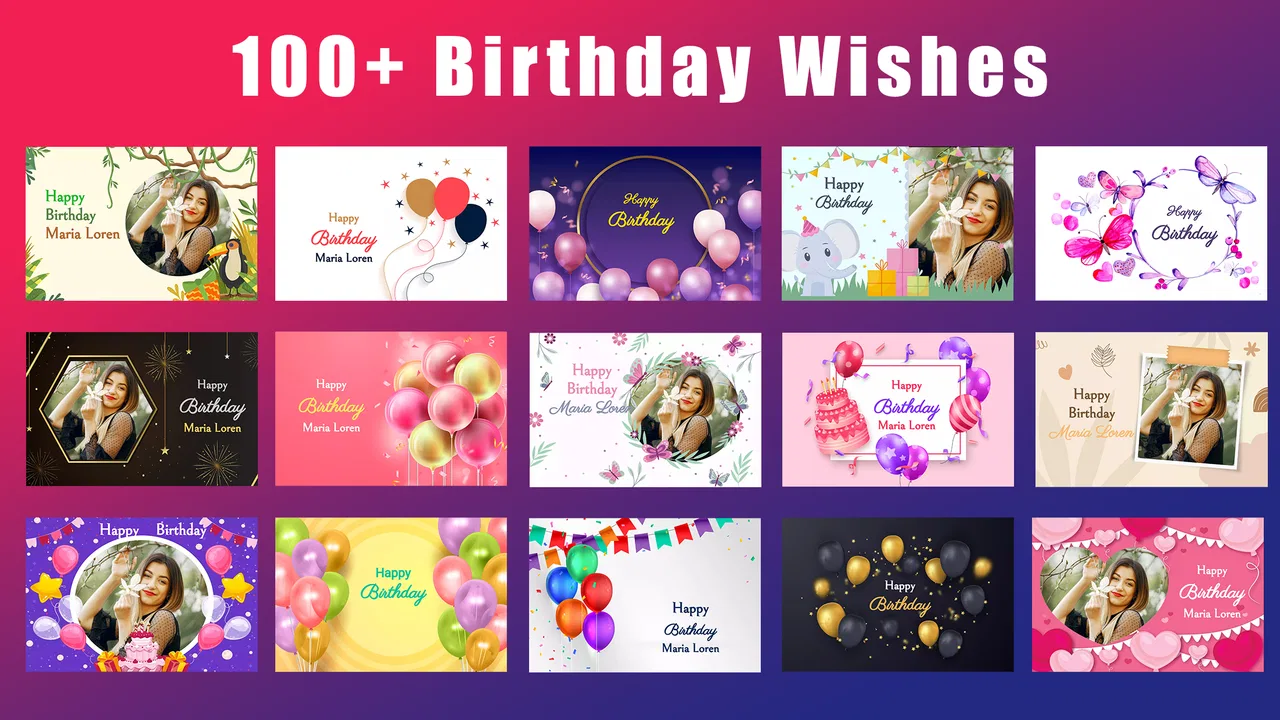
The Birthday Invitation Maker app provides a variety of features to create personalized invitations. Users can choose from a wide range of templates, add custom text, photos, and stickers, and adjust colors and fonts. The app also allows you to share your invitations via social media or email directly from the app.
02Is the Birthday Invitation Maker app easy to use for beginners?
Yes, the app is designed with a user-friendly interface that makes it accessible for beginners. It offers step-by-step guidance and intuitive controls, allowing users to effortlessly create beautiful invitations without any prior design experience. Tutorials and tips are also available within the app to assist new users.
03Does the app require an internet connection to function?
While you can access and use many features offline, an internet connection is needed for downloading new templates and sharing invitations via social media platforms. It's recommended to have a stable internet connection to fully utilize all the app's functionalities, including updates and additional features.
04Are there any in-app purchases or subscriptions available?
The app offers a free version with basic features, but there are in-app purchases available for premium templates, stickers, and advanced editing tools. Users can opt for a subscription model to unlock all features and enjoy an ad-free experience, enhancing the overall functionality of the app.
05How can I share my created invitations with others?
Once you've finished designing your invitation, the app provides several sharing options. You can save the invitation to your device, send it via email, or share it directly on social media platforms such as Facebook and Instagram. The app also supports printing, allowing you to create physical copies of your invitations.
Pros
- Easy-to-use interface for beginners.
- Wide variety of templates available.
- Customization options are extensive.
- Supports multiple languages.
- Templates suitable for any occasion.
Cons
- Contains ads in the free version.
- Limited design elements without upgrade.
- Requires internet for full features.
- Some templates are outdated.
- Premium version can be costly.

Birthday Invitation Maker
Gallery